HEC-EFM also offers formatting options for tables generated by the software that report model results and parameters. Through the “File – Select Style Sheets – Results” menu, several pre-packaged options are available for the main results table (Figure 63). Different formats can be helpful when including tables in reports, copy-pasting statistical results to spreadsheets for additional calculations, or when suppressing unnecessary outputs. Choice of style sheet is a project setting, which means that the selected style sheet will be used until a different one is chosen by the user. New style sheet selections can be applied via the “File – Refresh Results” menu option - it is not necessary to Recalculate. Pre-packaged options are currently available only for the Results table.

Figure 63. Choices of style sheets are made via the “File – Select Style Sheets” menu. The default Results table format is controlled by a style sheet called “Standard, flow and stage”, as shown at the top of this figure. The “Basic, flow only, inverted” format is also shown.
Users are also able to add and remove custom style sheets for Results, Report, Data Summary, and Arrays tables. Modifying style sheets is best done through XML editors. Several editors are available online. An open source editor called XML Notepad is included with EFM and can be opened via the “File – Select Style Sheets – Style Sheet Editor...” menu option. Custom style sheets are used most often to modify numerical precision of output or appearance of tables. For the Results table, settings for numerical precision are located towards the beginning of the style sheets and can be modified by the user to adjust precision for each output variable, independently (Figure 64).
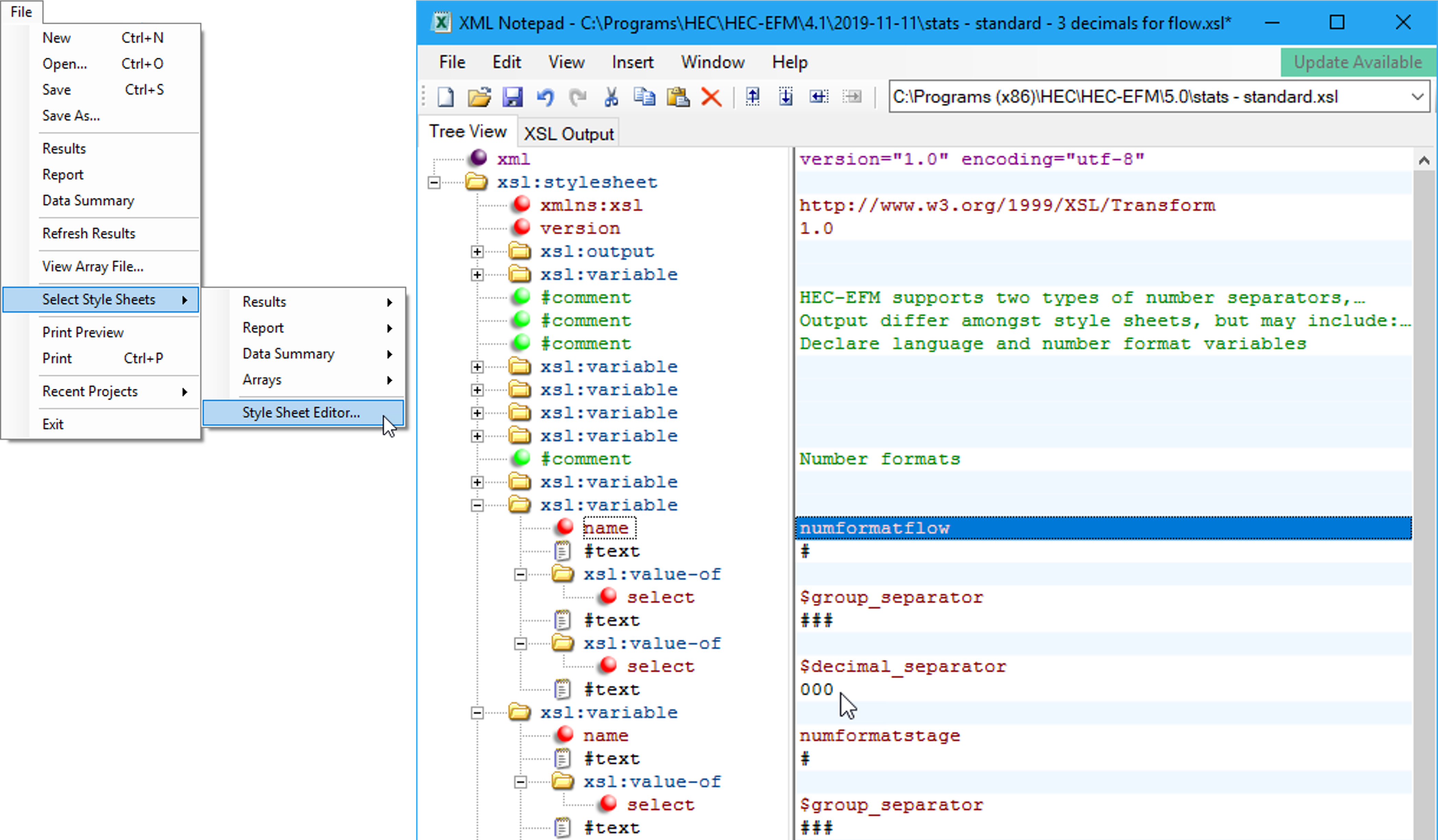

Figure 64. The EFM style sheet editor is used to customize the format of EFM generated tables. Image shows an increase in reported precision (from zero to three decimal places) for flow results.