Reverse lookup relationships follow the same numerical process described earlier in this chapter, except the last step in determining the statistical result is reversed. That is, instead of specifying a Percent exceedance and having the software compute the corresponding flow or stage, users specify the flow or stage of interest and the software computes the percentage of time or of years that flow or stage is equaled or exceeded (Figure 11). Application of Season, Duration, Rate of change, and Flow frequency or Flow duration settings are unchanged.
Users specify which flow regime data to analyze (flow or stage), the value or range of interest, and whether to report “out of range” results with a numeric result. Value and range can be applied to all flow regimes or set individually for each flow regime. The per flow regime options are useful when flow regimes are location-based. For example, especially over large areas, floodplains become inundated at different times and for different durations in accordance with local conditions. A relationship that investigates how frequently floodplain activation occurs could use the Reverse lookup – Values per flow regime setting to quantify floodplain dynamics for different location-based flow regimes per the local conditions that trigger inundation.
When values and ranges do not intersect with ranked seasonal results (Figure 10, bottom left and center), statistical results are “out of range” and reported as text messages. An option is offered that allows results to be reported as 0 when above range and 100 when below. For example, if a value of 600 was queried and all seasonal results were greater than 600, the statistical result would be “below range” or equaled or exceeded “100%” if the handle option was selected. Results are always computed for the percentage of time or years equaled or exceeded. For ranges, HEC-EFM computes this equaled or exceeded condition for the Min and Max values, subtracts Max from Min, and reports that difference as the percentage of time or years in range. “Out of range” conditions occur when either the Min value or Max value do not intersect.
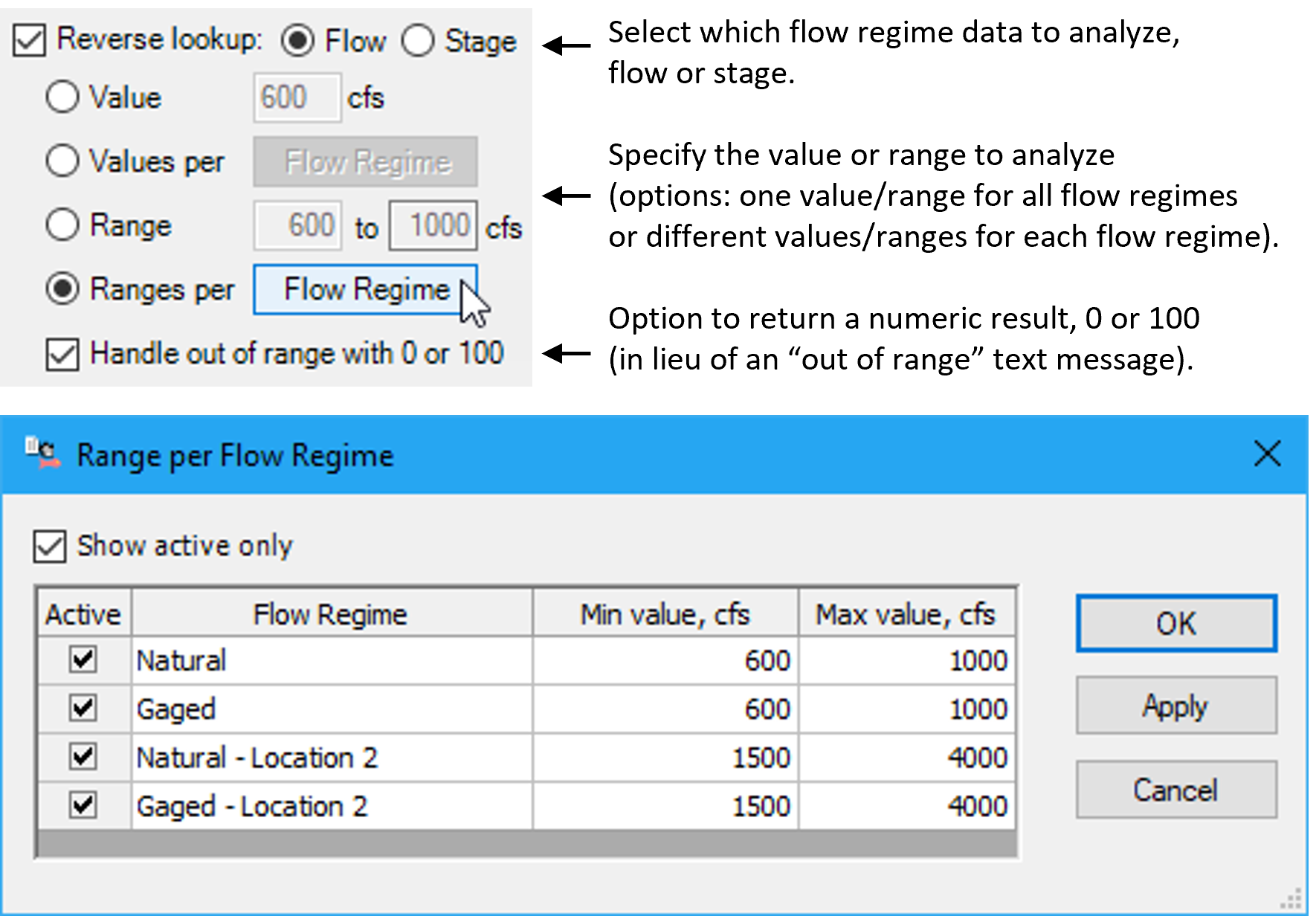
Figure 11. The Reverse lookup feature queries the percentage of years or time a value is equaled or exceeded or the percentage of time or years conditions are in range.