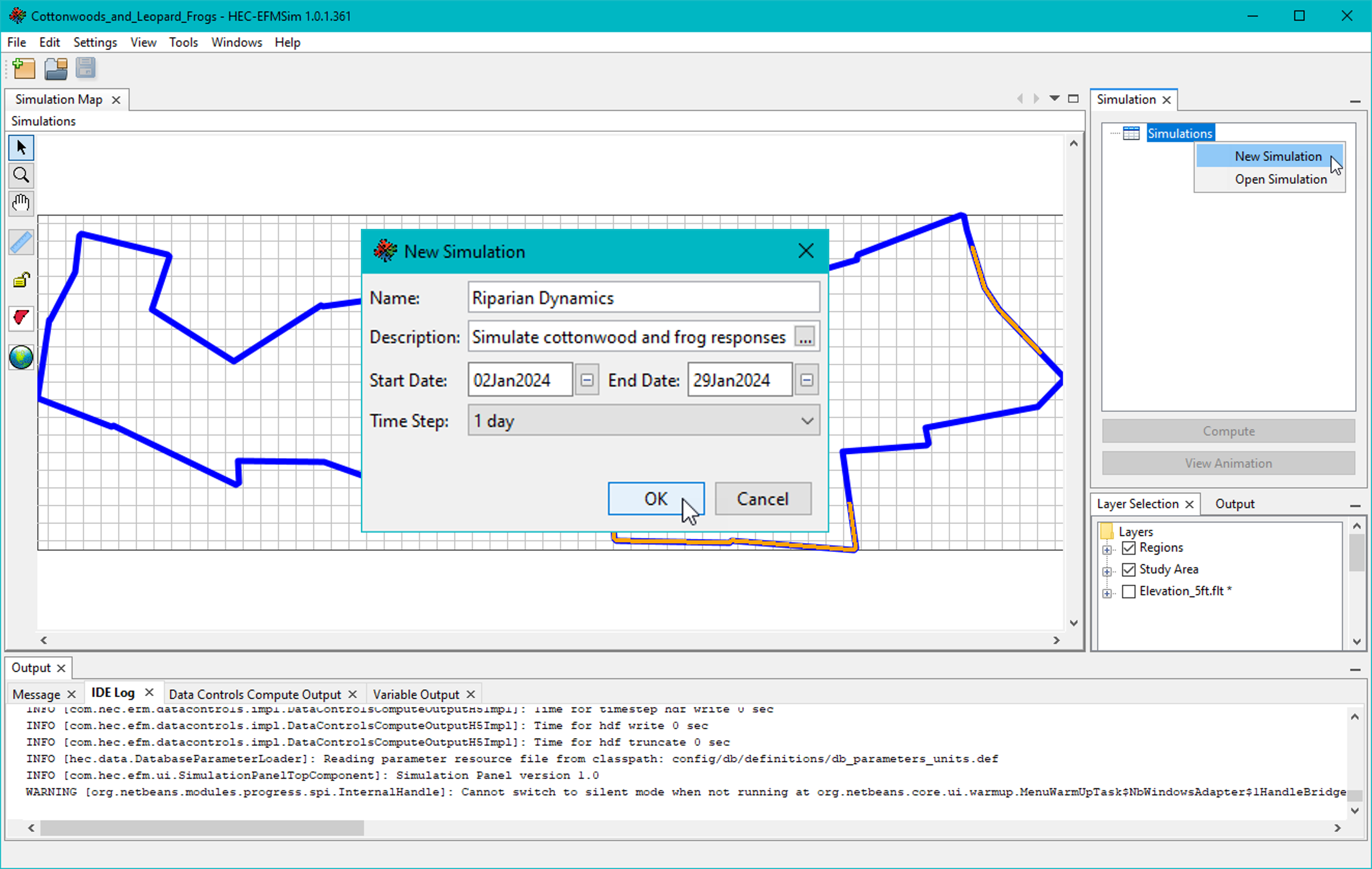
Simulations are created in the simulation module by right clicking on the Simulations node in the Simulation tree interface and selecting the New Simulation menu option (Figure). New simulations are given a name, description (optional), start date, end date, and time step. Existing simulations can be renamed, edited, and deleted via the right click menu of individual simulations.
Figure. New simulations are created via the Simulations – New Simulation menu option.