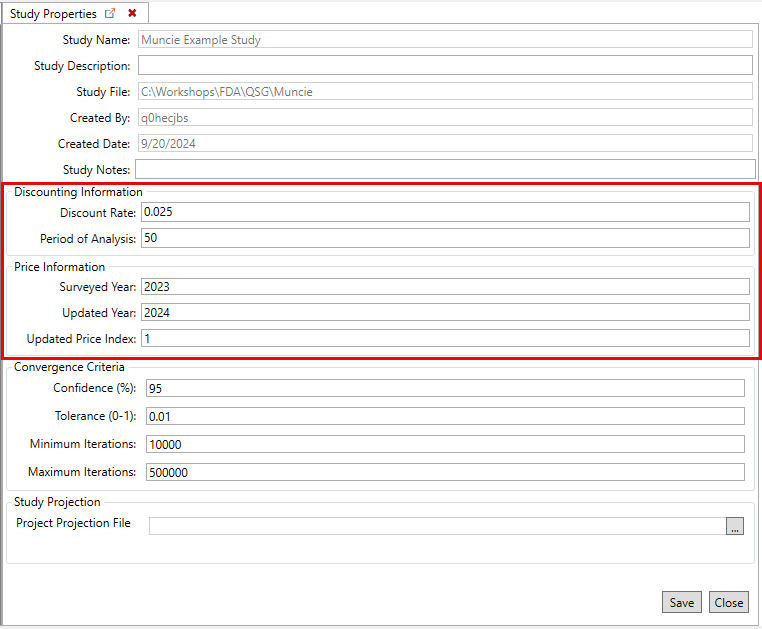
HEC-FDA User Manual Authors Only Standard Step-by-Step 2.0 Content Current: Set Study Properties Set Study Properties Set the study properties, including the discount rate, period of analysis, and study projection. Open the Study Properties tab from the File menu.Review and update the Discounting Information, which includes the Discount Rate and Period of Analysis.Review and update the Price Information, which includes the Surveyed Year, Updated Year and Updated Price Index.Click Save and Close to save the study properties and close the tab. ×