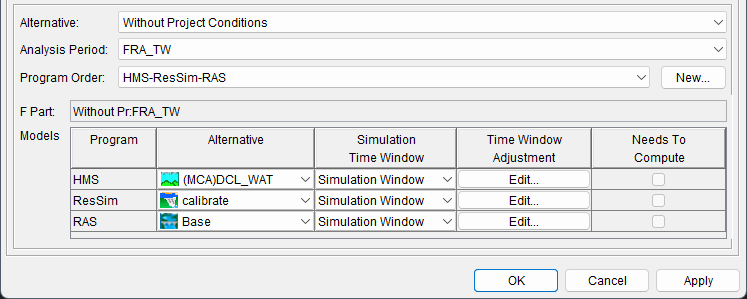
| Alternative and Simulation Manager - Completed Simulation.png |
2 |
2025-11-13 15:16
|
| Alternative and Simulation Manager- Create New Simulation.png |
2 |
2025-11-13 14:53
|
| Alternative_and_Simulaiton - FRA Simulation.png |
2 |
2025-12-22 11:35
|
| Alternative_and_Simulation - Create New Simulation.png |
2 |
2025-12-22 11:35
|
| Analysis Period Shortcut Menu - New.png |
2 |
2025-11-12 14:24
|
| Browse Study Folder - Study Tree - Study Shorcut.png |
1 |
2026-01-19 13:52
|
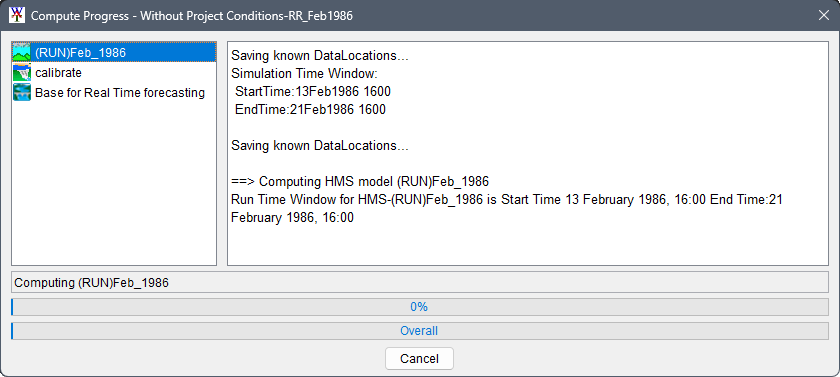
| Compute Progress Dialog Box.png |
2 |
2025-11-17 15:52
|
| Compute Progress Dialog_Complete.png |
1 |
2025-11-17 15:53
|
| Compute Progress Dialog_ResSim.png |
1 |
2025-11-17 15:53
|
| Compute Progress_HEC-RAS Computations.png |
1 |
2025-11-17 15:53
|
| ComputeFRA_SimulationShortcut.png |
2 |
2026-01-02 15:12
|
| Compute_Progress_FRA.png |
3 |
2026-01-19 14:47
|
| Confirm Input from Model changing to Window.png |
1 |
2024-10-16 12:45
|
| Content Pane - Example Alternative WPC Selected.png |
2 |
2025-11-13 15:22
|
| Content Pane Results Shortcut.png |
2 |
2025-11-18 10:29
|
| ContentPane - FRA Simulation.png |
1 |
2025-12-22 07:29
|
| ContentPane.png |
2 |
2024-10-11 14:30
|
| Create New Analysis Periods - FRA.png |
1 |
2025-12-19 13:49
|
| Create New Analysis Periods.png |
2 |
2025-11-12 14:49
|
| Create New FRA Simulation.png |
2 |
2025-12-22 11:35
|
| Create New Simulation - Not FRA.png |
2 |
2025-11-13 14:56
|
| Create New Study.png |
3 |
2025-11-07 13:26
|
| Default Map Properties.png |
3 |
2025-11-09 10:36
|
| Draw an Impact Area.png |
2 |
2024-10-11 14:30
|
| Edit Menu - Edit ResSim Lookback Window.png |
2 |
2025-11-12 12:44
|
| Edit Polygon Properties.png |
3 |
2025-11-09 10:34
|
| Edit Polygon Properties_RAS Example.png |
2 |
2025-11-12 10:17
|
| FIA - Aggregated Consequence Report - LifeLoss.png |
1 |
2024-10-11 14:30
|
| FIA - Individual Structure Damage Report.png |
1 |
2024-10-11 14:30
|
| FRA Simulation - FRA Setup.png |
2 |
2025-12-22 11:35
|
| FRA Simulation - Select Models.png |
2 |
2025-12-22 11:35
|
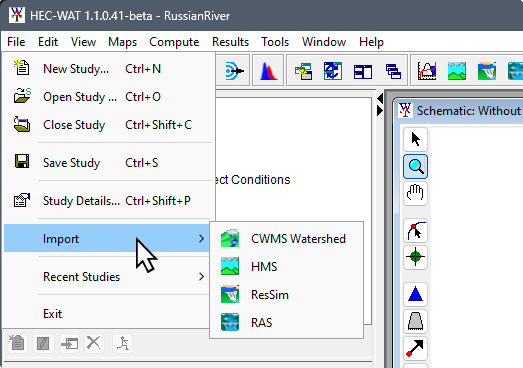
| FileMenu_ImportMenu_Options.png |
1 |
2025-11-09 13:39
|
| HEC-RAS Computations Finished.png |
1 |
2026-01-19 11:18
|
| HEC-RAS_main_window.png |
1 |
2026-01-19 11:18
|
| HMS - Global Summary Report.png |
2 |
2025-11-18 10:29
|
| HMS - Graph Results.png |
1 |
2024-10-11 14:30
|
| HMS - Graph for Reservoir.png |
1 |
2025-11-18 10:32
|
| HMS - Main Window and Select Project File Browser.png |
3 |
2026-01-08 15:27
|
| Hydrologic_Sampling_Editor.png |
3 |
2026-01-08 15:43
|
| Hydrologic_Sampling_StudyContentPanes.png |
2 |
2025-12-22 11:36
|
| ICON Alternative and Simulation Manager.png |
2 |
2025-11-09 11:33
|
| ICON Browser Window Button.png |
2 |
2025-10-21 14:38
|
| ICON Computation Point Map Tool.png |
3 |
2025-11-09 11:33
|
| ICON HEC-RAS Unsteady Flow Analysis.png |
1 |
2026-01-19 11:18
|
| ICON HEC-RAS.png |
1 |
2026-01-19 10:14
|
| ICON Impact Area Tool.png |
2 |
2025-10-21 14:40
|
| ICON Model Linking Editor.png |
2 |
2025-11-09 11:33
|
| ICON Output Variables.png |
2 |
2026-01-02 14:46
|
| ICON Pan Tool.png |
1 |
2025-11-09 11:33
|
| ICON Pointer Tool.png |
2 |
2025-11-09 11:33
|
| ICON RAS Mapper.png |
1 |
2026-01-19 11:18
|
| ICON Reservoir Map Tool.png |
3 |
2025-11-09 11:33
|
| ICON Save.png |
2 |
2025-11-09 11:33
|
| ICON WAT Shortcut.png |
1 |
2025-10-23 08:15
|
| ICON Zoom Map Tool.png |
3 |
2025-11-09 11:33
|
| ICON_ProgramOrderEditor.png |
1 |
2025-11-12 15:29
|
| Import Alternatives Dialog Box.png |
1 |
2024-10-16 12:44
|
| Import Computation Points Dialog.png |
3 |
2025-11-09 10:49
|
| Import Impact Area.png |
2 |
2024-10-11 14:30
|
| Import Stream Alignment Dialog.png |
3 |
2025-11-09 10:43
|
| MLE - Confirm Model to Link Change - FRA.png |
2 |
2025-12-22 11:36
|
| MLE - Select_Default_Model_to_Link.png |
2 |
2025-12-22 11:36
|
| Map Coordinate Information.png |
3 |
2025-11-07 12:39
|
| Map Layers Added to Watershed.png |
3 |
2025-11-12 09:47
|
| Map Layers Tree - Shortcut.png |
3 |
2025-11-09 10:20
|
| Map Window - Schematic and Simulation Map Windows WOP.png |
2 |
2025-11-13 15:36
|
| Map Window 2 Open Schematics.png |
3 |
2026-01-21 09:17
|
| Maps Menu - Add Internet Map list.png |
3 |
2025-11-09 10:46
|
| Maps Tab.png |
5 |
2026-01-21 09:19
|
| Message Pane.png |
2 |
2025-10-23 08:17
|
| Missing Lookback Info Window.png |
2 |
2025-11-12 13:05
|
| Model Linking Editor - RAS Model - Completed.png |
1 |
2025-10-23 08:19
|
| Model Linking Editor - RAS Model Alternative Linking to an HMS Model Alternative.png |
1 |
2024-10-16 12:44
|
| Model Linking Editor - RAS Model Alternative Unlinked.png |
1 |
2024-10-16 12:44
|
| Model Linking Editor – HMS Model Alternative.png |
3 |
2026-01-26 13:46
|
| Model Linking Editor – RAS Model Alternative.png |
1 |
2025-11-14 16:18
|
| Model Linking Editor – RAS Model Alternative_Fixed.png |
1 |
2025-11-14 16:31
|
| Model Linking Editor – ResSim Model Alternative.png |
2 |
2025-11-14 16:18
|
| Model Linking Editor.png |
2 |
2025-11-14 10:46
|
| Model_Linking_Editor - FRA - HMS no links.png |
2 |
2026-01-19 12:10
|
| Model_Linking_Editor - FRA.png |
2 |
2025-12-22 11:36
|
| Model_Linking_Editor - HMS - FRA Linked.png |
2 |
2025-12-22 11:37
|
| Model_Linking_Editor - RAS - FRA wDSS.png |
1 |
2025-12-22 07:23
|
| Model_Linking_Editor - RAS - FRA.png |
2 |
2026-01-02 14:27
|
| Model_Linking_Editor - ResSim - FRA - Linked.png |
2 |
2025-12-22 11:37
|
| Model_Linking_Editor - ResSim - FRA.png |
2 |
2025-12-22 11:37
|
| Name New Computation Point - Layer List.png |
3 |
2025-11-09 11:11
|
| Name New Computation Point.png |
3 |
2025-11-09 10:51
|
| Name New Impact Areas.png |
2 |
2024-10-11 14:30
|
| Name New Reservoir.png |
3 |
2025-11-09 12:06
|
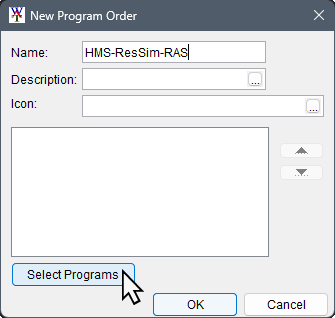
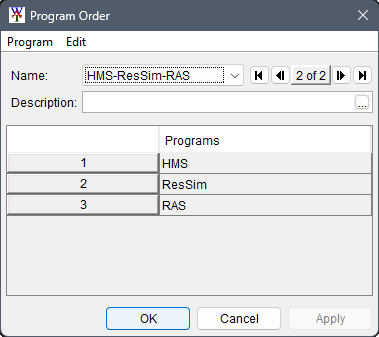
| NewProgramOrder_HMS-ResSim-RAS.png |
1 |
2025-11-12 15:45
|
| Open Browser Window.png |
4 |
2025-11-07 12:39
|
| Open Study Dialog.png |
2 |
2025-11-07 12:39
|
| Output Variable Editor.png |
2 |
2026-01-02 14:53
|
| Output_Variables_FrequencyComputed.png |
1 |
2026-01-19 13:42
|
| Output_Variables_Selector.png |
3 |
2026-01-02 15:47
|
| PluginInfo_PluginStatusTab.png |
3 |
2025-11-06 15:38
|
| PluginInfo_PluginStatusTab_FIAdisabled.png |
1 |
2025-11-07 14:11
|
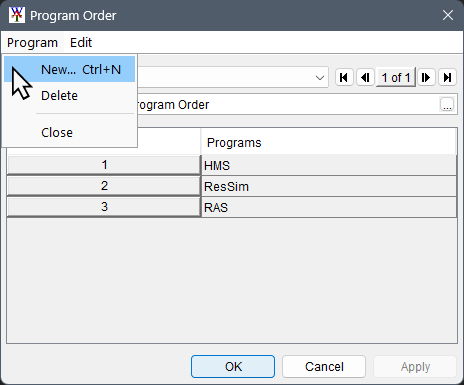
| ProgramOrderDialog_ProgramMenu-New.png |
2 |
2026-01-12 10:31
|
| ProgramOrderEditor_ExampleHMS-ResSim-RAS.png |
1 |
2025-11-12 15:45
|
| ProgramOrder_SelectionEditor.png |
1 |
2025-11-12 15:45
|
| RAS - General Profile Plot.png |
1 |
2025-11-18 10:29
|
| RAS - Importing Window.png |
2 |
2025-11-12 09:09
|
| RAS - Profile Plot.png |
2 |
2025-11-18 10:32
|
| RAS - X-Y-Z Perspective Plot.png |
1 |
2024-10-11 14:30
|
| RAS Mapper Add Existing Terrain File.png |
1 |
2026-01-19 11:18
|
| RAS Unsteady Flow Analysis.png |
1 |
2026-01-19 11:18
|
| Rename Computation Point.png |
3 |
2025-11-09 12:32
|
| Replace Existing HEC-HMS Project Message.png |
2 |
2025-11-09 15:48
|
| ResSim - Flow Summary Report.png |
2 |
2025-11-18 10:29
|
| ResSim - Import Progress Bar.png |
4 |
2025-11-12 10:49
|
| ResSim - Lookback Window - TimeStep list.png |
2 |
2025-11-12 12:48
|
| ResSim - Lookback Window - TimeStep list_FRA.png |
1 |
2025-12-19 13:48
|
| ResSim - Operations Plots.png |
1 |
2025-11-18 10:32
|
| ResSim Import Type Window for ResSim.png |
3 |
2025-11-09 14:23
|
| Reservoir Pool.png |
3 |
2025-11-09 12:28
|
| Run_FRA_Simulation_Window1.png |
2 |
2026-01-02 15:58
|
| Run_FRA_Simulation_Window2.png |
2 |
2026-01-02 15:58
|
| Schematic Editor - Without Project Conditions.png |
2 |
2025-11-09 14:23
|
| SchematicTab_SchematicTree.png |
2 |
2024-10-11 14:30
|
| Select Default Model to Link - HMS Model.png |
1 |
2024-10-16 12:44
|
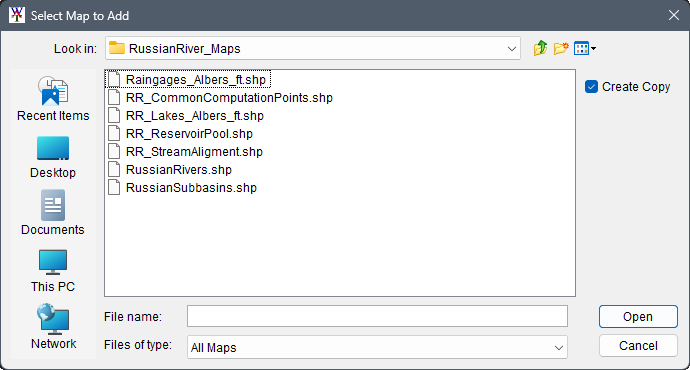
| Select Map To Add Browser Window.png |
3 |
2025-11-07 12:55
|
| Select Map to Add Browser.png |
2 |
2025-11-12 09:09
|
| Select RAS project to import from Browser.png |
2 |
2025-11-12 09:09
|
| Select Watershed File to Import From Browser.png |
2 |
2025-11-09 14:23
|
| Selection of Model Alternatives - Create New Simulation Dialog Box.png |
1 |
2024-10-16 12:44
|
| Study Details Dialog Box - Plugins Tab - All Plugins.png |
1 |
2024-10-16 12:45
|
| Study Tree with Created Simulation.png |
2 |
2025-11-13 15:16
|
| Study Tree.png |
2 |
2025-10-23 08:38
|
| StudyDetailsDialog.png |
3 |
2025-11-07 15:03
|
| StudyPane - FRA Simulation.png |
1 |
2025-12-22 07:29
|
| StudyTree_BrowseStudyFolder_Shortcut.png |
1 |
2025-11-09 09:42
|
| ThreeTabs.png |
2 |
2024-10-11 14:30
|
| WAT Main Window - Results Menu.png |
1 |
2025-11-18 08:40
|
| WAT Main Window Compute Shortcut Menu Commands.png |
2 |
2025-11-17 14:49
|
| WAT Main Window_empty.png |
2 |
2025-11-04 09:58
|
| WAT MainWindow - CreateNewStudyNoMaps.png |
3 |
2025-11-07 15:16
|
| WAT MainWindow - NewStudyWithMaps.png |
4 |
2025-11-07 15:16
|
| WAT Schematic Map Window After HEC-ResSim Import Reopened.png |
1 |
2025-11-09 14:23
|
| WAT Schematic Map Window After HEC-ResSim Import.png |
2 |
2025-11-09 14:23
|
| WAT Schematic Shortcut Menu.png |
2 |
2025-11-18 10:29
|
| WAT_MainWindow_RussianRiver.png |
1 |
2024-10-11 14:30
|
| WAT_MainWindow_RussianRiver_Schematic.png |
2 |
2026-03-06 10:25
|
| WAT_Main_Window_wLabels.png |
3 |
2026-01-21 09:17
|
| WAT_SplashScreen.png |
3 |
2026-01-05 09:22
|
| WAT_StudyDirectory_Files.png |
2 |
2024-10-11 14:30
|
| WAT_main_FRA_Simulation_Created.png |
2 |
2025-12-22 11:37
|
| WAT_v1.1_Edited_Figures.pptx |
2 |
2025-11-09 12:29
|