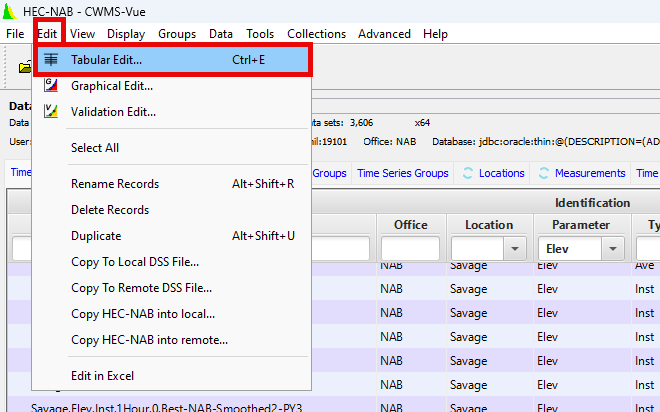
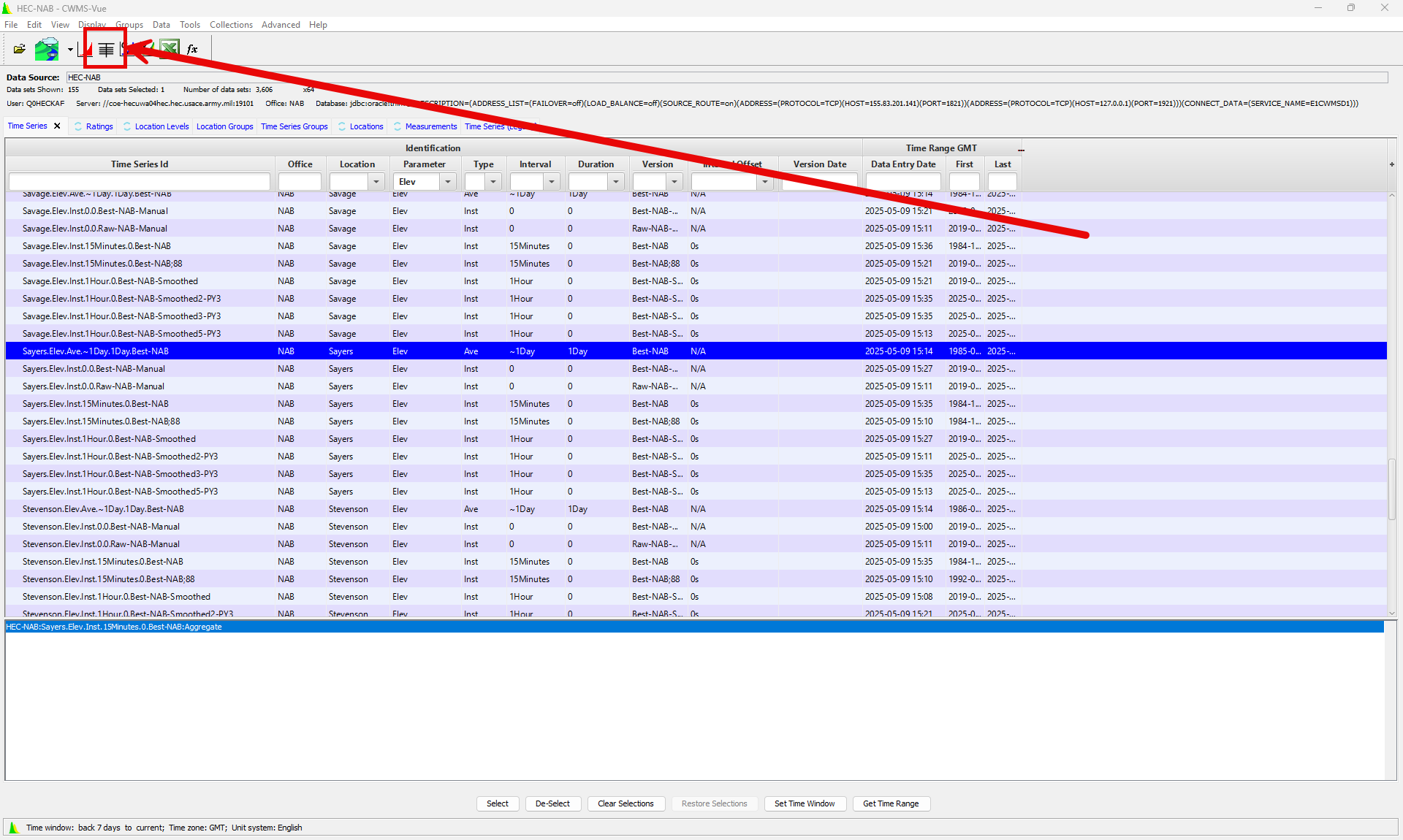
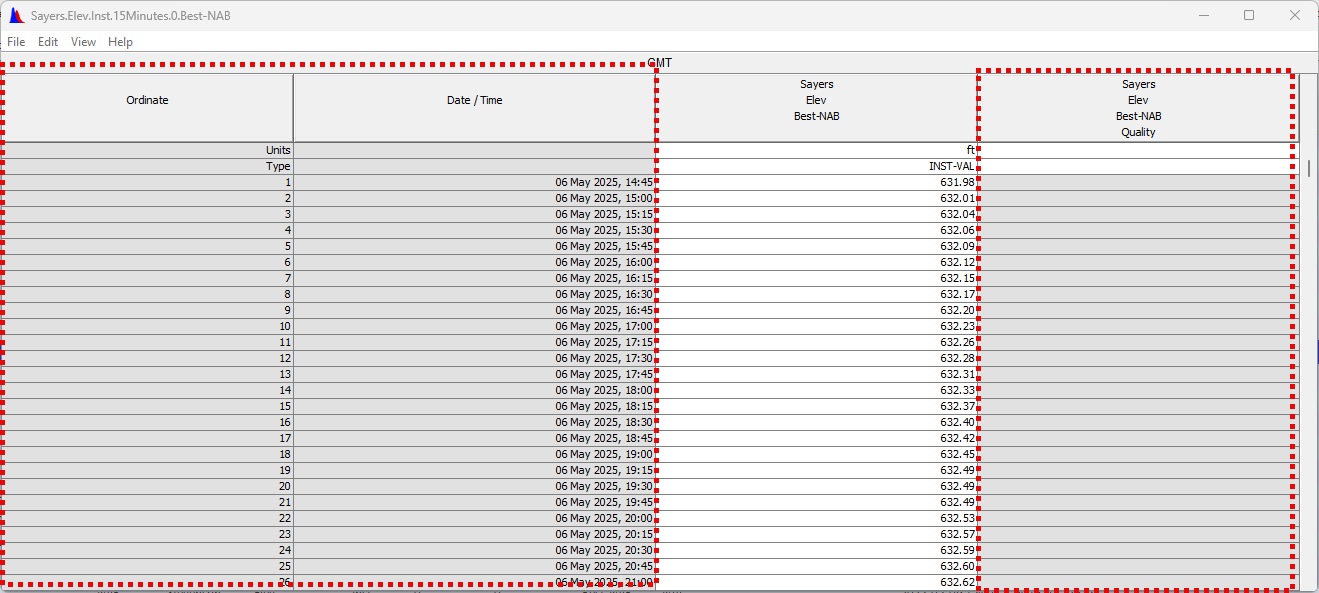
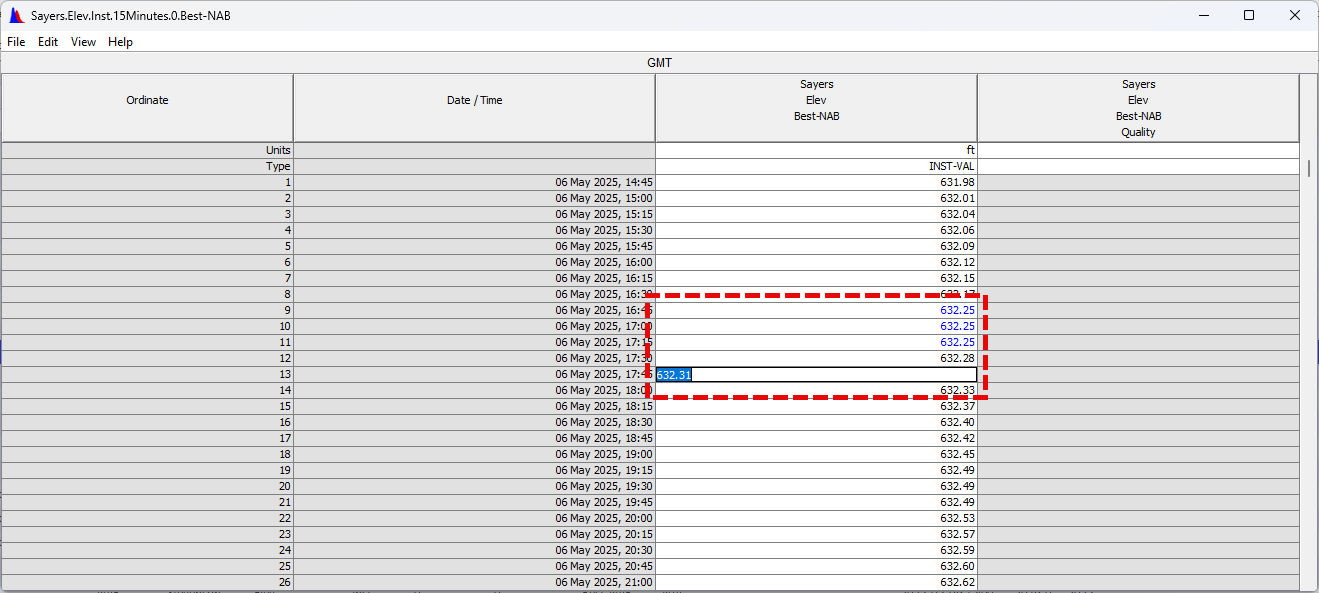
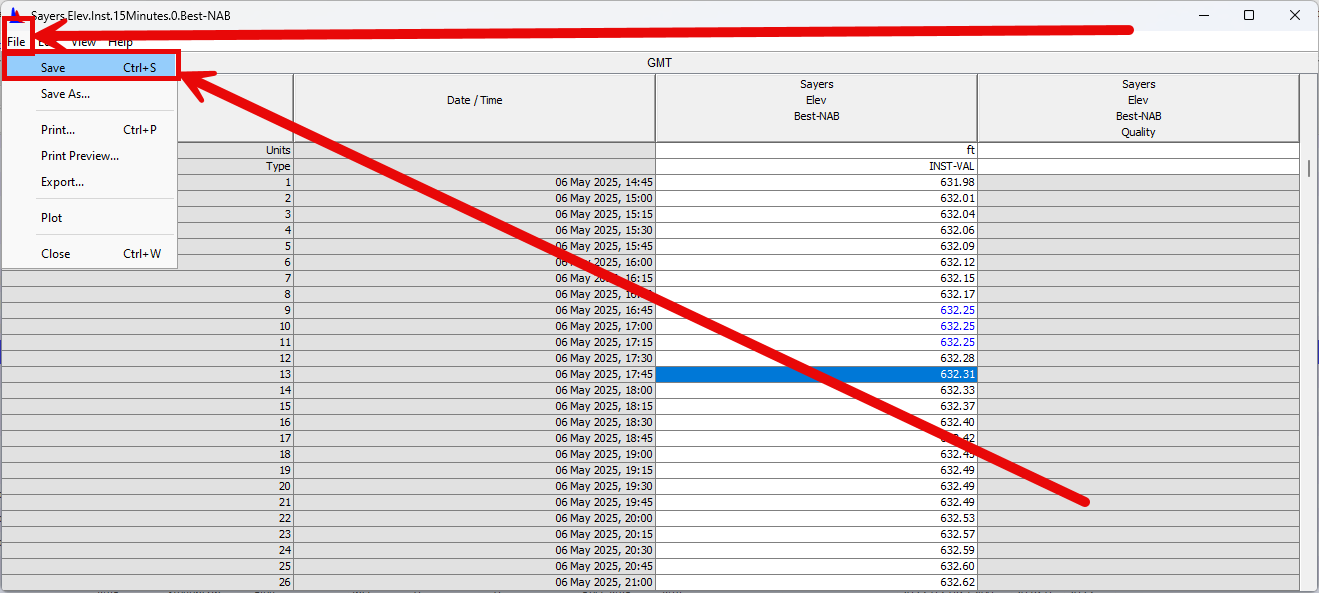
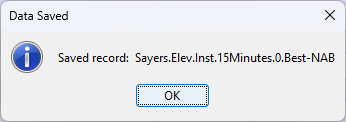
CWMS-Vue User's Manual Tabs Time Series Tab Current: Editing Data using the Tabular Editor Editing Data using the Tabular Editor The following steps identify how you can edit data using the CWMS-Vue Tabular Editor (if you have the appropriate permissions). Set the Time window for the data you would like to view/editSelect a Time Series you would like to edit Set Time Window & Select a Time Series If you are unsure or need help on how set a time window or select a Time Series please see Plotting and Tabulating Data Click on the Tabulate buttonFrom the Edit Menu, select Allow EditingYou will notice that some of the columns will gain a grey background, while the values will still have a white backgroundAlternate access to Tabular Edityou can also Select the Edit menu and select Tabular EditClick in the row of the data you wish to EditEdit the data and hit EnterWhen you change rows, the data that has been changed will be in blue font rather then blackOnce you have completed your edits save them via the File menu then Saveyou will get a popup window that informs you that your record was savedClose your tabular window or turn off Allow Editing the same way you turned it on in Step 4 ×