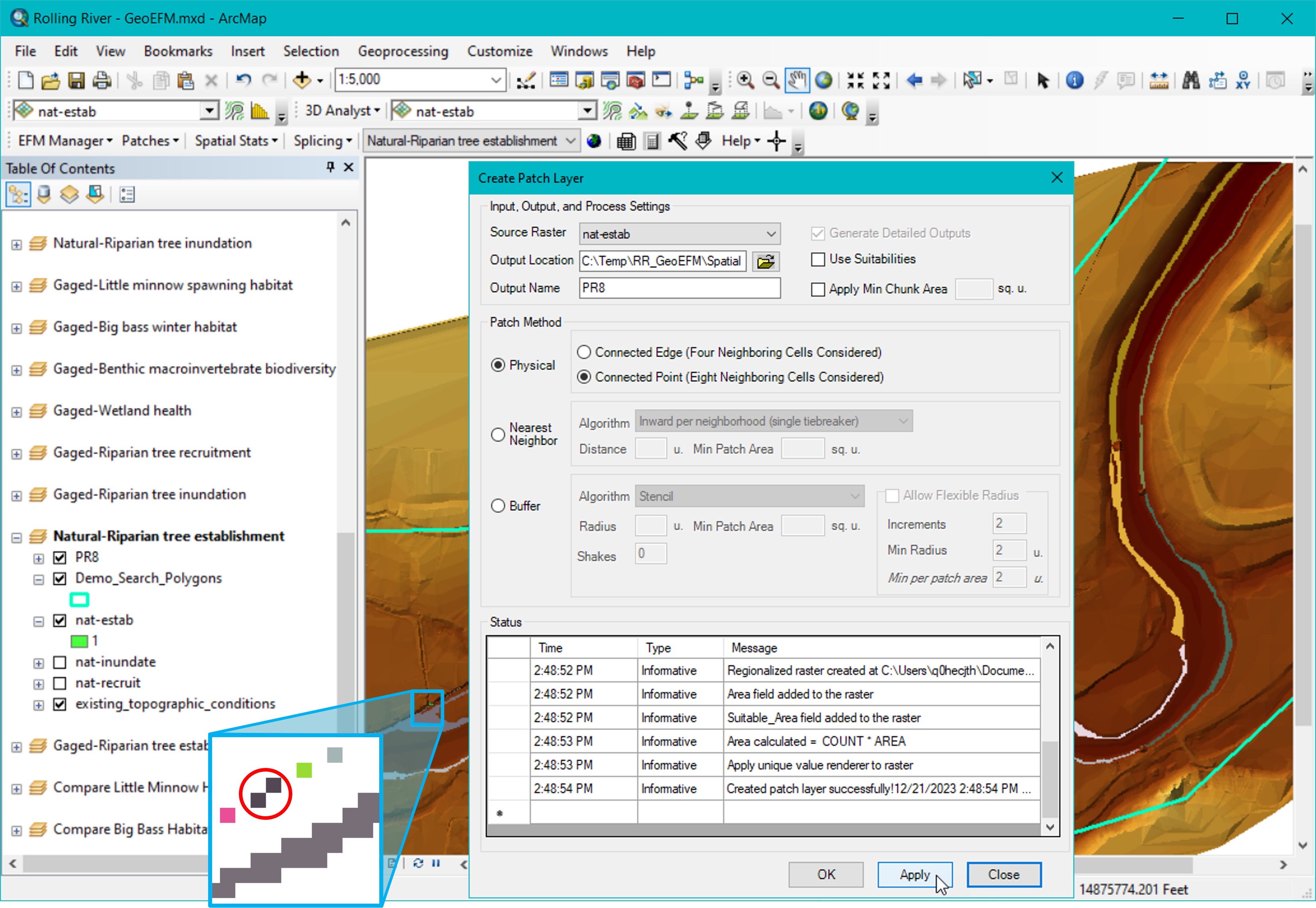
Figure 38 shows a patch raster using the Physical patch method for Riparian tree establishment that was generated using the Connected Point setting for defining patches. The small thumbnail image in the lower left corner of the figure shows a single patch (circled) that would have been split into two patches if the Connected Edge setting were used.
Figure 38. Creating a patch raster layer for use in habitat connectivity analyses using Physical Patch Method.
Patches are then assigned to search polygons through the Patches – Assign Patches to Search Polygons menu option. Users are given the option of assigning patches by splitting patches at the search polygon boundaries or according to the search polygon that contains the most patch area. Figure 39 shows results of a patch analysis where the Riparian tree establishment patch raster was assigned to polygons in the Demo_Search_Polygons layer using the split at Split at search polygon boundary and assign patch method. Results were then displayed via the Patches – Plot Patches menu option and could be accessed through the attribute table of the generated “PR8_Split” layer.